
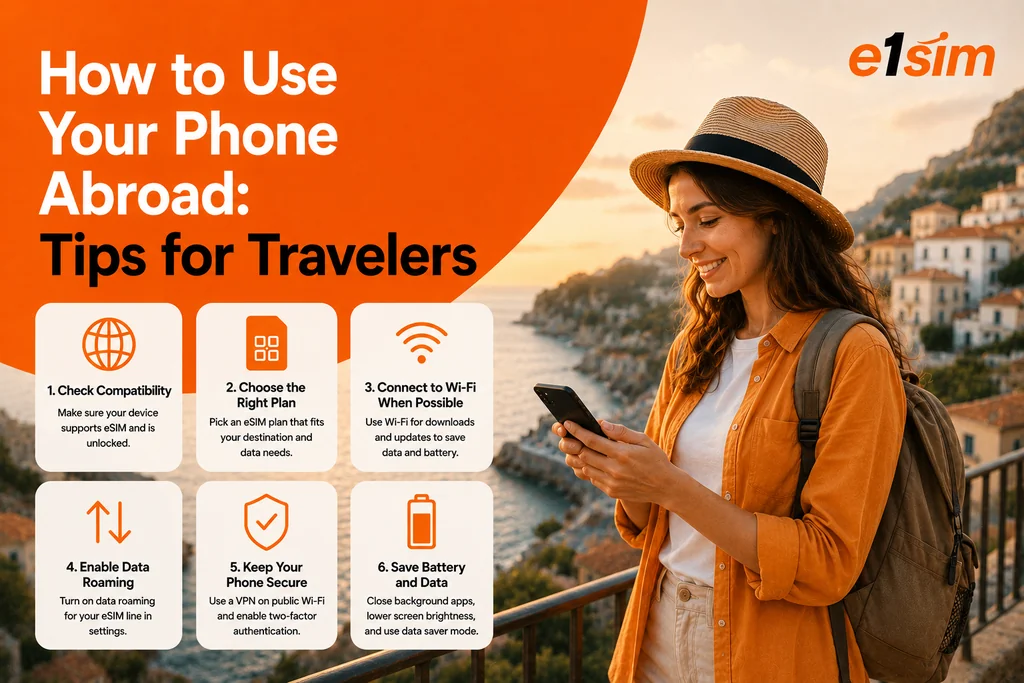
كيفية استخدام هاتفك في الخارج: نصائح أساسية للمسافرين
هاتفك الذكي هو أحد أثمن رفاقك في السفر — للملاحة والتواصل والترجمة والمزيد. لكن استخدامه دولياً بدون الإعداد الصحيح قد يؤدي إلى فواتير كبيرة غير متوقعة أو فجوات اتصال محبطة. إليك كيفية البقاء على اتصال بذكاء وبأسعار معقولة عند استخدام هاتفك في الخارج.
الخطوة 1: تحقق من قدرات هاتفك الدولية
قبل أي شيء آخر، تأكد من أن هاتفك يعمل في وجهتك:
- تحقق من أنه غير مقفول من شركة الاتصالات — الهواتف المقفولة يمكنها فقط استخدام بطاقات SIM من شركة الاتصالات الأصلية. لاستخدام eSIM سفر أو بطاقة SIM أجنبية، تحتاج إلى جهاز غير مقفول.
- تحقق من توافق نطاق الشبكة — معظم الهواتف الحديثة تدعم نطاقات التردد المستخدمة في جميع أنحاء العالم، لكن الأجهزة القديمة جداً قد تعمل فقط على شبكات إقليمية معينة.
- تأكد من دعم eSIM إذا كنت تخطط لاستخدام eSIM سفر — انتقل إلى الإعدادات وابحث عن خيار eSIM أو "إضافة خطة خلوية".
الخطوة 2: اختر استراتيجية الاتصال الخاصة بك
لديك عدة خيارات للاتصال بالهاتف المحمول في الخارج:
الخيار 1: التجوال الدولي من شركة الاتصالات الخاصة بك
مريح لكن غالباً مكلف. تحقق من وظائف شركة الاتصالات الدولية أو التمريرات اليومية قبل افتراض أن التجوال القياسي مقبول.
الخيار 2: eSIM سفر
الخيار الأكثر فعالية من حيث التكلفة لمعظم المسافرين. اشتر خطة بيانات رقمياً، وثبتها على هاتفك، واتصل بالشبكات المحلية بأسعار محلية. لا حاجة لتبديل بطاقة SIM فعلية. مفيد بشكل خاص للـ:
- المسافرين الذين لديهم هواتف متوافقة مع eSIM وغير مقفولة
- الرحلات التي تستغرق 3 أيام أو أكثر حيث تتراكم التمريرات اليومية للتجوال
- الرحلات متعددة الدول (استخدم خطة eSIM إقليمية)
الخيار 3: بطاقة SIM محلية
أفضل قيمة إذا كان هاتفك غير متوافق مع eSIM. اشتر بطاقة SIM محلية مدفوعة مسبقاً من مطار وجهتك أو من متجر شركة اتصالات. ستحصل على رقم محلي وأسعار محلية معقولة.
الخيار 4: Wi-Fi فقط
للرحلات القصيرة جداً أو المسافرين الموجهين للميزانية. عطل تجوال البيانات تماماً واعتمد على Wi-Fi الفندق و Wi-Fi المطعم والمحتوى دون اتصال محمل مسبقاً. يعمل بشكل جيد للرحلات الترفيهية لكنه محدود للسفر التجاري أو الملاحة الثقيلة.
الخطوة 3: قم بتكوين هاتفك قبل المغادرة
عطل تجوال البيانات (في البداية)
أوقف تجوال البيانات لمنع الرسوم غير المتوقعة إذا لم تكن على خطة تجوال:
- iPhone: الإعدادات → البيانات الخلوية → خيارات بيانات خلوية → أوقف تجوال البيانات
- Android: الإعدادات → الاتصالات → شبكات الهاتف المحمول → أوقف تجوال البيانات
يمكنك إعادة تفعيله بشكل خاص لملف تعريف eSIM السفر الخاص بك عند الحاجة.
حمل الخرائط دون اتصال
لا تنتظر حتى تهبط لتحميل الخرائط دون اتصال. حمل Google Maps أو Apple Maps لوجهتك بينما أنت على Wi-Fi في المنزل. هذا يمنحك قدرة الملاحة حتى بدون أي اتصال بيانات.
فعل Wi-Fi Calling
يتيح لك Wi-Fi Calling استخدام رقم هاتفك العادي عبر اتصالات Wi-Fi في الخارج، غالباً بأسعار محلية. فعله قبل السفر في إعدادات هاتفك.
ثبت eSIM السفر الخاص بك
إذا كنت تستخدم eSIM سفر، ثبته قبل المغادرة باستخدام Wi-Fi المنزل. يتم تثبيت الملف الشخصي بسرعة وستكون جاهزاً للتفعيل عند الوصول.
الخطوة 4: إدارة البيانات أثناء وجودك في الخارج
قلل بيانات الخلفية
- عطل النسخ الاحتياطي السحابي عبر بيانات الهاتف المحمول (iCloud و Google Photos)
- أوقف تحديثات التطبيق التلقائية
- عطل تشغيل فيديو وسائل التواصل الاجتماعي التلقائي
- فعل وضع البيانات المنخفضة (iPhone) أو موفر البيانات (Android)
راقب استخدامك
أعد تعيين عداد استخدام البيانات في بداية رحلتك للتتبع الدقيق. تحقق من الاستخدام يومياً حتى تشعر باستهلاكك اليومي المعتاد مقابل مخصص الخطة.
الخطوة 5: نصائح الأمان لاستخدام هاتفك في الخارج
- استخدم VPN على شبكات Wi-Fi العامة (المطارات والفنادق والمقاهي) لتشفير حركتك.
- فعل Find My Phone (iPhone: Find My، Android: Find My Device) قبل السفر.
- لا تدخل تطبيقات البنوك على Wi-Fi العامة غير المأمونة — استخدم اتصال بيانات eSIM بدلاً من ذلك.
- أبقِ هاتفك مقلوباً في المقاهي وكن على دراية بمحيطك في المناطق السياحية المزدحمة.
- قم بإعداد المسح عن بعد في حالة فقدان هاتفك أو سرقته.
التطبيقات الرئيسية المطلوبة
- الخرائط: Google Maps أو Apple Maps مع تنزيلات دون اتصال
- الترجمة: Google Translate مع حزم اللغات دون اتصال
- التواصل: WhatsApp أو Telegram أو Signal للرسائل والمكالمات المجانية
- العملة: محول XE Currency
- الطوارئ: اعرف رقم الطوارئ المحلي واحفظه
الخلاصة
استخدام هاتفك في الخارج بذكاء يتعلق بشكل أساسي بالتحضير: تحقق من قدرات جهازك، اختر خيار الاتصال الصحيح (eSIM سفر غالباً هو الخيار الأفضل)، قم بتكوين الإعدادات الرئيسية قبل المغادرة، واحتفظ ببعض العادات البسيطة لتوفير البيانات أثناء السفر. إذا فعلت ذلك بشكل صحيح، سيكون هاتفك الذكي رفيق سفر لا غنى عنه — بدون صدمة الفاتورة عند عودتك إلى البيت.
```