
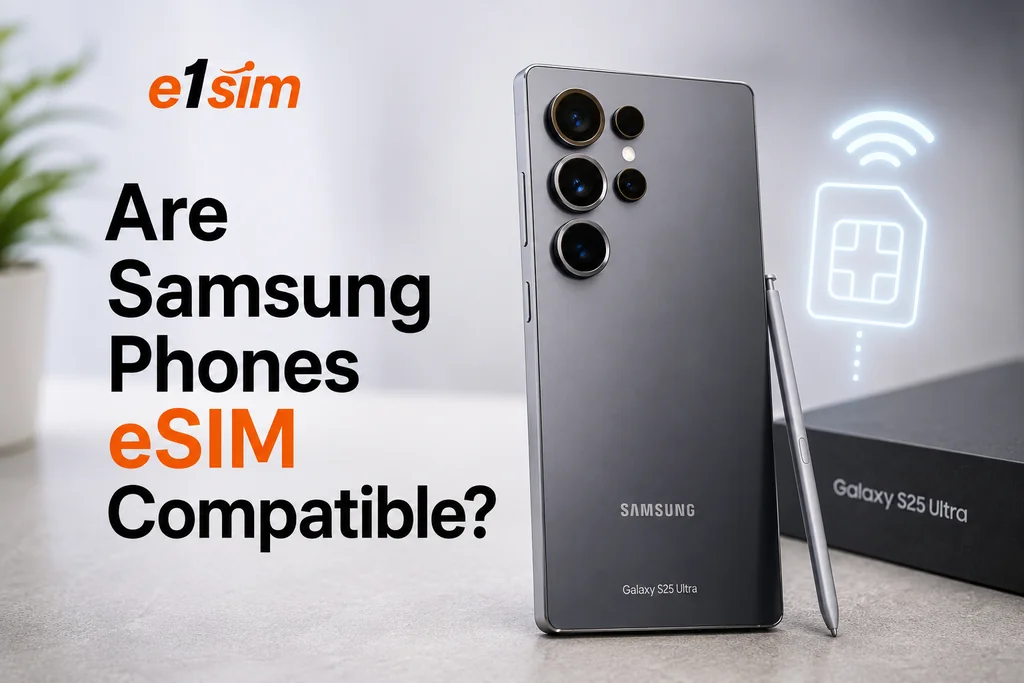
Compatibilità eSIM Samsung: quali telefoni Galaxy la supportano?
La gamma Galaxy di Samsung ha adottato la tecnologia eSIM nei suoi modelli flagship e pieghevoli. Ma non tutti i dispositivi Samsung — e non tutte le varianti regionali — supportano l'eSIM allo stesso modo. Ecco cosa devi sapere sulla compatibilità tra Samsung ed eSIM.
Quali telefoni Samsung supportano l'eSIM?
Il supporto eSIM sui dispositivi Samsung dipende sia dal modello sia dalla regione di vendita. Ecco una panoramica dei dispositivi Samsung Galaxy compatibili con eSIM:
Samsung Galaxy Serie S
- Galaxy S20, S20+, S20 Ultra (2020)
- Galaxy S21, S21+, S21 Ultra (2021)
- Galaxy S22, S22+, S22 Ultra (2022)
- Galaxy S23, S23+, S23 Ultra (2023)
- Galaxy S24, S24+, S24 Ultra (2024)
- Galaxy S25, S25+, S25 Ultra (2025)
Samsung Galaxy Serie Z Pieghevoli
- Galaxy Z Fold 2, 3, 4, 5, 6 (2020–2024)
- Galaxy Z Flip, Z Flip 3, Z Flip 4, Z Flip 5, Z Flip 6 (2020–2024)
Samsung Galaxy Serie A e altre linee
Il supporto eSIM sulla serie Galaxy A (fascia media) e sulle altre linee è più limitato e varia notevolmente a seconda della regione. Alcuni modelli della serie A in determinati mercati hanno aggiunto il supporto eSIM, ma non è universale. Controlla le specifiche del tuo modello specifico.
Importanti avvertenze regionali
Questo è fondamentale: la disponibilità dell'eSIM sui Samsung varia da paese a paese. Lo stesso modello Galaxy venduto negli Stati Uniti o in Europa può supportare l'eSIM, mentre lo stesso modello venduto in Corea del Sud o in altri mercati asiatici potrebbe non farlo — a causa dei requisiti degli operatori o delle varianti hardware regionali.
Paesi in cui il supporto eSIM di Samsung è generalmente affidabile:
- Stati Uniti, Canada
- Regno Unito, gran parte dell'Europa
- Australia, Nuova Zelanda
- Giappone (modelli selezionati)
- Medio Oriente (modelli selezionati)
Paesi in cui l'eSIM potrebbe non essere disponibile su alcuni modelli Samsung:
- Corea del Sud (supporto eSIM storicamente limitato sulle varianti nazionali)
- Alcuni mercati del Sud-est asiatico
Come verificare se il tuo telefono Samsung supporta l'eSIM
Metodo 1: controlla le impostazioni del Gestore SIM
- Apri le Impostazioni.
- Vai su Connessioni → Gestore SIM.
- Cerca l'opzione "Aggiungi eSIM" o una sezione denominata "eSIM".
Se questa opzione esiste, il tuo dispositivo supporta l'eSIM.
Metodo 2: controlla le informazioni del dispositivo
- Vai su Impostazioni → Informazioni sul telefono → Informazioni sullo stato.
- Cerca un EID (identificatore eSIM) — un numero di 32 cifre.
Se è presente un EID, il tuo dispositivo Samsung supporta l'eSIM.
Metodo 3: il sito web di Samsung
Visita il sito ufficiale di Samsung, cerca il numero del tuo modello specifico (riportato sulla confezione o in Informazioni sul telefono) e verifica nella sezione delle specifiche la voce "eSIM" sotto Connettività.
Come aggiungere un eSIM a un telefono Samsung Galaxy
- Acquista un piano eSIM dal provider scelto e ricevi il codice QR.
- Sul tuo telefono Samsung, vai su Impostazioni → Connessioni → Gestore SIM.
- Tocca Aggiungi eSIM.
- Seleziona Scansiona codice QR del fornitore di servizi.
- Scansiona il codice QR fornito dal tuo provider eSIM.
- Segui le istruzioni per confermare e installare il profilo eSIM.
- Una volta installato, puoi attivarlo/disattivarlo e configurarlo come linea dati principale.
Dual SIM ed eSIM su Samsung
La maggior parte dei dispositivi Samsung Galaxy compatibili con eSIM supporta la Dual SIM — l'uso simultaneo di una nano-SIM fisica insieme all'eSIM. Questo significa che puoi:
- Mantenere attiva la tua SIM esistente per chiamate e SMS sul tuo numero abituale
- Usare un eSIM da viaggio per dati mobili convenienti all'estero
- Passare dall'una all'altra secondo necessità
Configura la SIM preferita per i dati in Impostazioni → Connessioni → Gestore SIM → SIM dati predefinita.
Consigli per gli utenti eSIM Samsung
- Assicurati che il tuo dispositivo sia sbloccato dall'operatore prima di acquistare piani eSIM di terze parti.
- Mantieni aggiornata la One UI di Samsung — le funzionalità eSIM migliorano con gli aggiornamenti software.
- Se acquisti un telefono Samsung appositamente per usare l'eSIM, compralo in un mercato dove il supporto eSIM è confermato.
- Alcuni dispositivi Samsung consentono di memorizzare fino a 3–5 profili eSIM, ma solo un eSIM può essere attivo alla volta.
Conclusione
La maggior parte dei dispositivi flagship Samsung Galaxy usciti dal 2020 in poi supporta l'eSIM, ma le varianti regionali e i modelli di fascia media potrebbero non farlo. Verifica sempre la compatibilità tramite le impostazioni del Gestore SIM del tuo dispositivo o controlla la presenza del numero EID prima di acquistare un piano eSIM. Per chi viaggia con un flagship Samsung, l'eSIM offre un'eccellente flessibilità nella gestione dei piani dati a livello internazionale.