
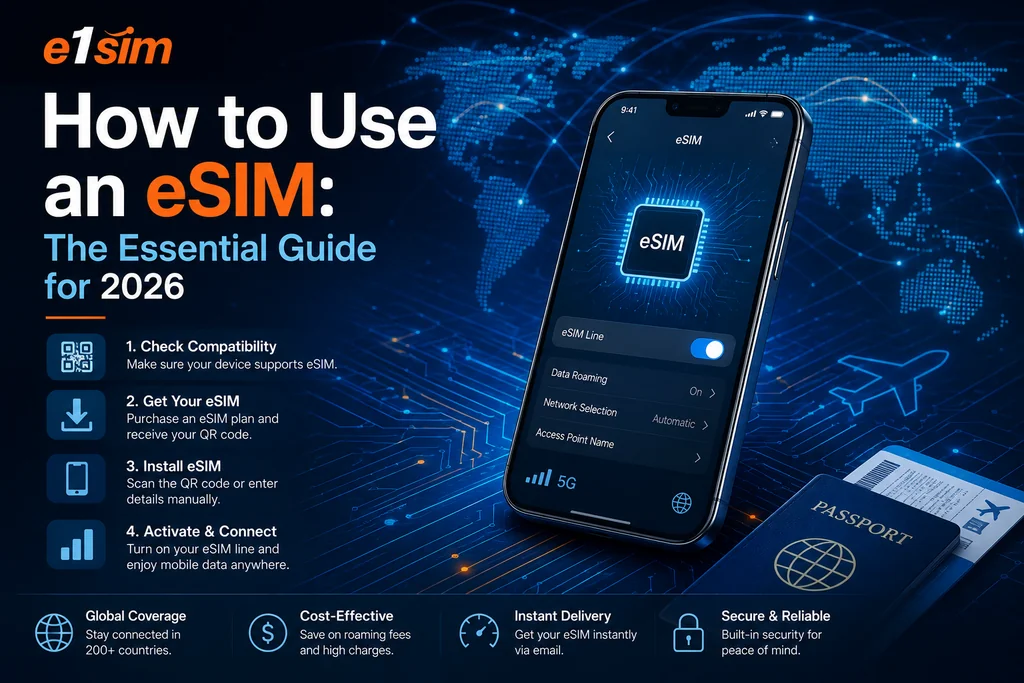
How To Use an eSIM: The Essential Guide
In an increasingly connected world, traditional SIM cards are giving way to a more flexible and convenient alternative: eSIM technology. Whether you're a frequent traveler, digital nomad, or someone looking to streamline their mobile connectivity, understanding how to use an eSIM can revolutionize the way you stay connected. This comprehensive guide walks you through everything you need to know about eSIM installation, activation, and management. From checking device compatibility to troubleshooting common issues, we'll cover all the essential steps to get you online quickly and efficiently, no matter where your adventures take you.
What is an eSIM and How Does It Differ from Physical SIM Cards?
An eSIM, or embedded SIM, is a digital version of a traditional SIM card that's built directly into your device's hardware. Unlike physical SIM cards that require manual insertion into a dedicated slot, an eSIM operates entirely through software. This fundamental difference offers several advantages for modern mobile users.
The primary distinction lies in flexibility and convenience. With a physical SIM card, you need to physically remove and replace it whenever you want to switch carriers or plans. An eSIM eliminates this hassle entirely. You can switch between multiple carrier plans instantly through your device's settings, without touching any hardware. This makes eSIM technology particularly valuable for travelers who frequently move between countries or regions.
Additionally, eSIMs offer enhanced security features. Your eSIM profile is encrypted and stored securely on your device, reducing the risk of physical SIM card damage or loss. They also typically support multiple profiles, allowing you to maintain several active connections simultaneously if needed—for example, keeping your home country plan active while adding a local data plan in your travel destination.
Prerequisites: Check Device Compatibility
Before attempting to use an eSIM, you must verify that your device supports this technology. Not all smartphones and tablets have eSIM capability, and compatibility varies by manufacturer and model year.
How to check if your device supports eSIM:
Most modern flagship smartphones released in the last 5-7 years offer eSIM support. iPhones from the XS model onwards, Samsung Galaxy S20 and newer, Google Pixel 3 and later, and many tablets from iPad Pro lines all feature eSIM functionality. However, budget and mid-range devices may not include this feature.
To confirm your device's compatibility, visit your device manufacturer's official website or check your device settings. Navigate to Settings > About > Regulatory (or similar path depending on your operating system) to look for eSIM information. Alternatively, contact your device's manufacturer directly or check with your current carrier for definitive compatibility information.
You'll also want to ensure your device is running the latest operating system version, as eSIM functionality often requires up-to-date software. Check for any available system updates before proceeding with eSIM activation.
Step-by-Step: How to Install and Activate Your eSIM
Once you've confirmed device compatibility, the installation process is straightforward. Here's what you need to know:
Getting Your eSIM Profile
First, you'll need to obtain an eSIM profile from a compatible provider. When you purchase an eSIM plan, you'll typically receive an activation code or QR code via email or through a provider's mobile application. This code contains all the necessary information to download and activate your eSIM profile on your device.
Some providers, like those available through e1sim.com, offer quick and easy eSIM purchasing for numerous countries and regions worldwide. You can browse available plans, select your destination and data allowance, and receive your activation details within minutes.
Installation Process for iPhone Users
If you're using an iPhone, follow these steps:
- Navigate to Settings > Cellular > Add Cellular Plan
- Select Use QR Code if you have a QR code, or choose Enter Details Manually if you have an activation code
- If using a QR code, hold your phone's camera over the code until your device recognizes it
- Follow the on-screen prompts to confirm and download the eSIM profile
- Label your new plan with a descriptive name (e.g., "Travel Data - Italy")
- Set your primary line preferences and data roaming settings
Installation Process for Android Users
Android devices follow a similar but slightly different process:
- Open Settings > Network & Internet > Mobile Networks (exact wording varies by manufacturer)
- Select Add Mobile Network or Add Carrier
- Choose Use QR Code and scan your provider's QR code
- Alternatively, select Enter Activation Code and input your code manually
- Allow the device to download and configure the eSIM profile
- Return to Mobile Networks settings and select your new eSIM profile as active
- Enable data roaming if traveling internationally
Managing Multiple eSIM Profiles
One of eSIM's most powerful features is the ability to store multiple profiles on a single device. You can maintain your home country plan while adding temporary plans for travel or business purposes.
Switching between active profiles requires only a few taps. Go to your device's cellular or mobile network settings and toggle between different eSIM profiles. This means you can keep your primary number active for calls and messages while using a separate data plan for internet connectivity in another country.
When you're ready to retire a plan, you can remove its profile entirely through your device settings. This frees up space and declutters your mobile network options. Most providers recommend removing unused profiles after your plan expires to maintain optimal device performance.
For business travelers or those juggling multiple responsibilities, services like those offered through e1sim.com provide flexibility to add plans for different destinations without the commitment of long-term contracts or complex switching procedures.
Troubleshooting Common eSIM Issues
Despite eSIM technology's reliability, occasional issues can arise. Here's how to resolve the most common problems:
eSIM not downloading or activating: Ensure your device has strong internet connectivity, ideally via WiFi during the activation process. Verify that your activation code or QR code hasn't expired—most providers set expiration windows of 30-90 days. Try restarting your device and attempt activation again.
No data connectivity after activation: Check that your new eSIM is set as your primary line for data and that data roaming is enabled if traveling internationally. Verify that your selected plan includes data and that your balance hasn't been depleted.
Cannot switch between profiles: Some devices require you to disable one profile before enabling another. Restart your device if you experience switching difficulties, or contact your provider's customer support team.
eSIM profile appears corrupted: Remove the problematic profile and request a new activation code from your provider. Download and install the profile again using fresh credentials.
Key Considerations for International Travel
When using eSIM for international travel, keep several factors in mind:
First, confirm coverage in your destination. Most reputable eSIM providers offer plans for 200+ destinations worldwide, but coverage and speeds may vary. Check your provider's coverage map before traveling.
Second, understand data allowances and speeds. Unlike unlimited plans common in many home markets, international eSIM plans typically include defined data limits. Monitor your usage through your provider's app to avoid unexpected charges.
Third, maintain your home connectivity. Consider keeping your primary SIM active by storing its profile while using your travel eSIM. This ensures you can receive important calls or messages from home without maintaining expensive roaming charges.
Key Takeaways
- eSIM technology offers flexibility and convenience by eliminating the need for physical SIM card swapping
- Device compatibility is essential—verify your smartphone or tablet supports eSIM before purchasing a plan
- Installation is simple and typically requires scanning a QR code or entering an activation code through your device settings
- Multiple profiles can be stored simultaneously, allowing seamless switching between different plans and carriers
- International travel becomes more manageable with eSIM plans available for 200+ destinations worldwide
- Troubleshooting is usually straightforward, with most issues resolved through simple settings adjustments or device restarts
- Providers like e1sim.com offer diverse eSIM options, making it easy to find plans suited to your travel needs and budget
-